Arch Linux Hibernation Using Swap File
In most cases, we generally use Swap File for easier adjustment and configuration flexibility.
References: Arch Wiki, Arch Wiki, Arch BBS
Creating Swap File (Reference: Arch Wiki)
Manual Method
Creating the Swap File
Use the root account and the fallocate command to create a swap file of the desired size (M = Mebibytes, G = Gibibytes). For example, create a 16G swap file (for hibernation, it’s best to set it to your computer’s RAM size):
# fallocate -l 16G /swapfileNote: The fallocate command may cause issues on F2FS or XFS filesystems. [1] As an alternative, use the dd command, though it’s slower:
# dd if=/dev/zero of=/swapfile bs=1M count=512Set permissions for the swap file (globally readable swap files are a major local vulnerability):
# chmod 600 /swapfileAfter creating the swap file, format it:
# mkswap /swapfile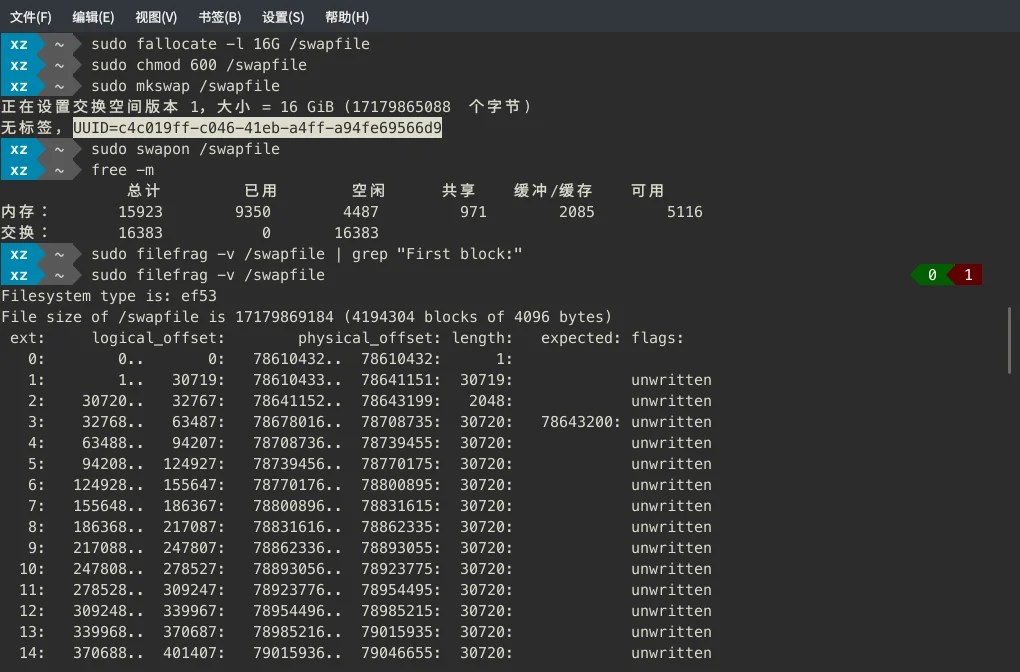
Tip: A UUID will be displayed here, but it’s useless.
Enable the swap file:
# swapon /swapfileFinally, edit /etc/fstab and add the following line:
/etc/fstab/swapfile none swap defaults 0 0Configuring Hibernation (Reference: Arch Wiki)
Configuring GRUB
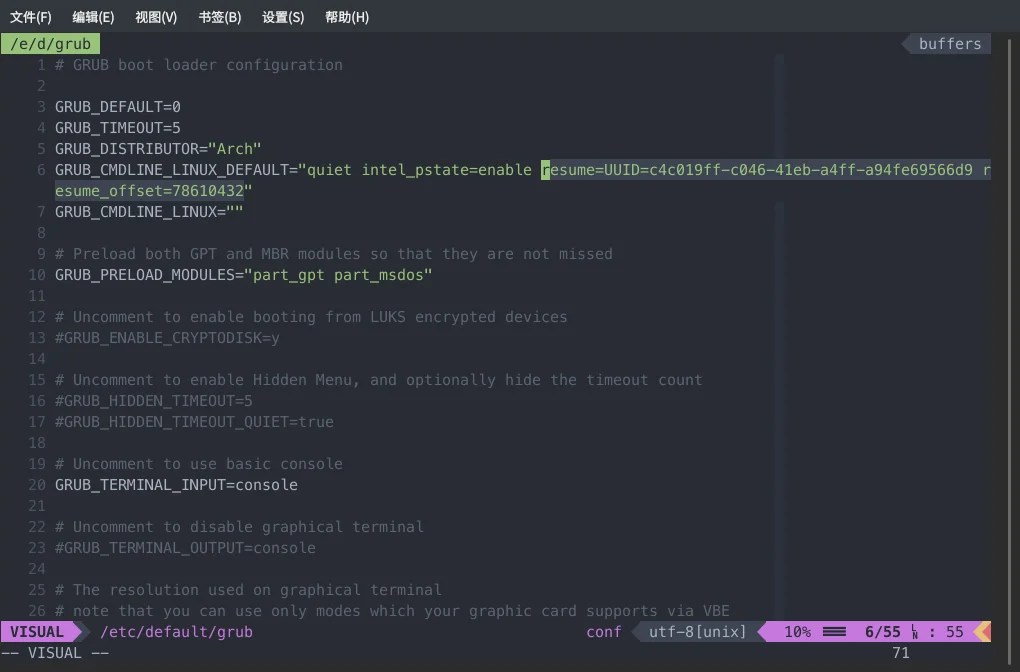
Setting resume (to tell the system which disk device to resume from)
Get the UUID of the partition containing the swap file. For example, I’m using LVM:
lsblk -no UUID /dev/XzRoot/root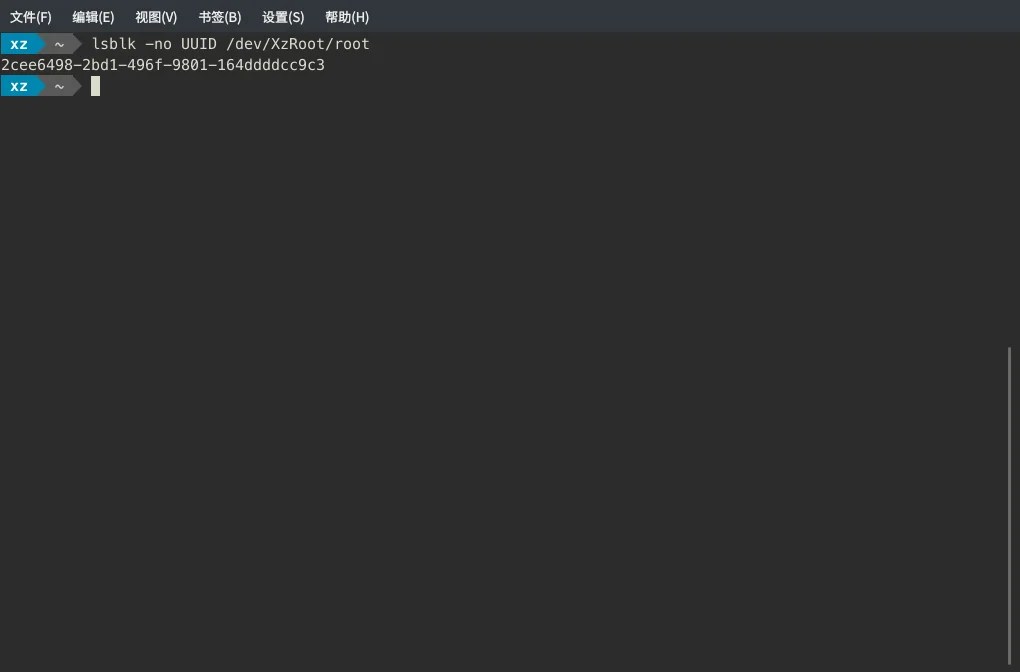
Fill in this UUID (2cee6498-2bd1-496f-9801-164ddddcc9c3) for resume:
resume=UUID=2cee6498-2bd1-496f-9801-164ddddcc9c3Alternatively, you can use resume=/dev/XzRoot/root.
Getting resume_offset
Run sudo filefrag -v /swapfile
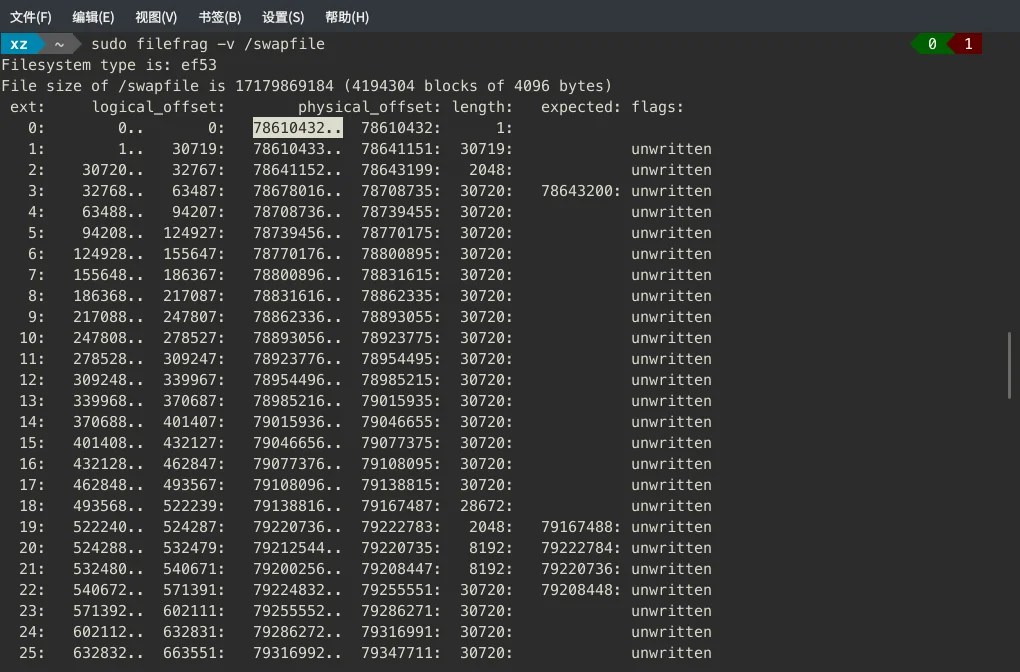
Find the first number with two dots in the first row. As shown in the screenshot, it’s: 78610432.
Setting resume_offset (to tell the system the exact location to resume from)
Fill in the value obtained from the swap file (resume_offset) as shown:
resume_offset=78610432Regenerate grub.cfg
grub-mkconfig -o /boot/grub/grub.cfgConfiguring Kernel Module
Edit the HOOKS entry in mkinitcpio.conf
For runtime hook keywords, refer to ArchWiki.
Add the resume hook:
# /etc/mkinitcpio.conf
HOOKS=(base udev autodetect modconf block lvm2 resume filesystems keyboard fsck)
Recompile the image
sudo mkinitcpio -p your_kernel_nameThe End
Before hibernating for the first time, a reboot is required to activate the feature.