Seamlessly Migrating from Firefox Stable to Developer Edition
Mozilla’s Major Blunder: Certificate Expiration Renders Firefox Extensions Unusable Worldwide This morning Mozilla played a not-so-small joke on Firefox users worldwide. Many woke up to find all their browser extensions non-functional, including on mobile versions.
Thus, how to seamlessly transfer data became the primary goal.
First, back up Firefox’s user data folder. On Linux, this is the .mozilla folder in the user directory.
Then, rename the entire folder to .mozilla.bak.
Open Firefox Developer Edition, then close it (this generates a new user data directory).
Locate the .mozilla folder again (containing several database files) (as shown below) and overwrite all files inside with the corresponding backup folder (do not modify folder names).
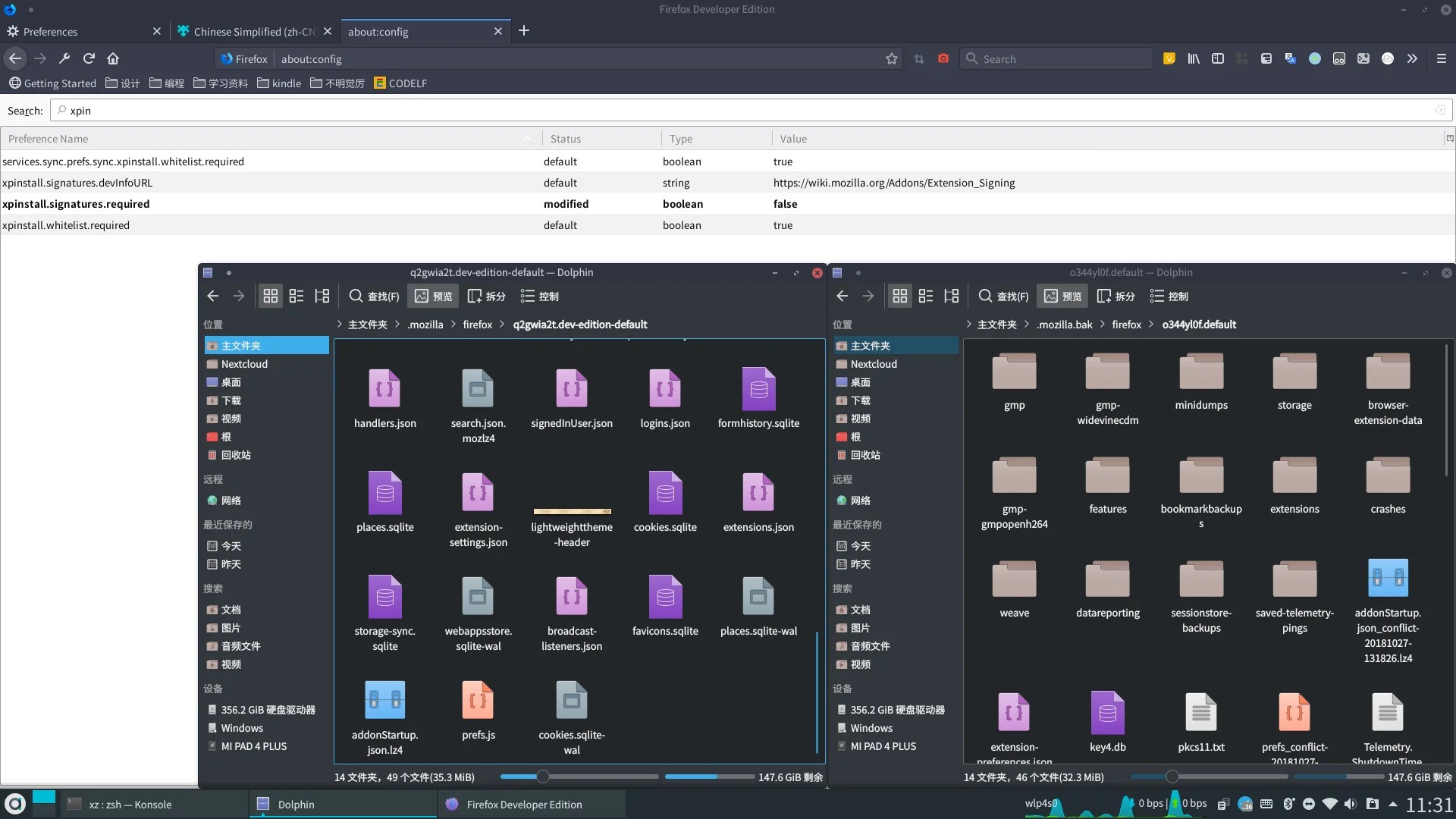
Do not modify other folders.
Finally, restart Firefox Developer Edition - you’ll find your data has been transferred.
PS: For fixing this blunder:
In about:config (Developer Edition required), modify:
- Set
xpinstall.signatures.requiredtofalse(extension signing) - Set
extensions.langpacks.signatures.requiredtofalse(language pack signing)